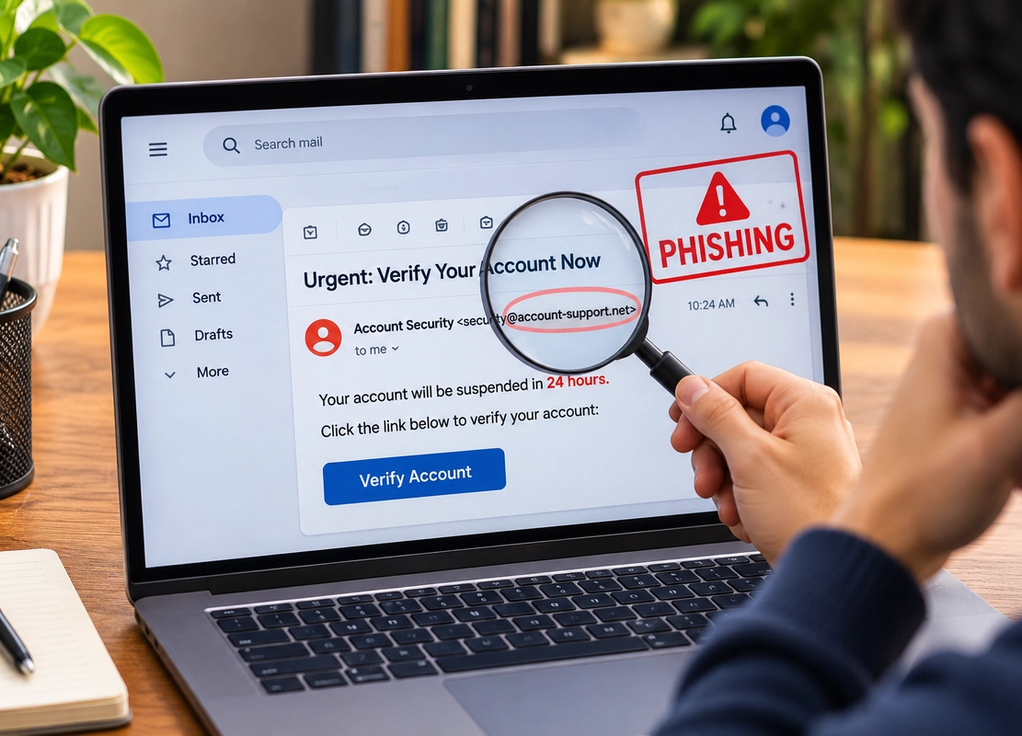
How to Spot a Phishing Email
Gatlin Palacios
November 18, 2026
Check Who Actually Sent It
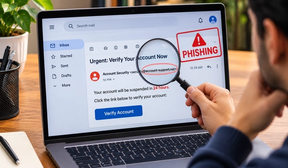
A phishing email often looks convincing at first glance because scammers copy the names, logos, colors, and writing styles of familiar companies. The sender’s display name might say “Your Bank” or “Microsoft Support,” but the actual email address can tell a different story. Look carefully for misspellings, extra characters, unusual domains, or addresses that have nothing to do with the organization being impersonated. Keep in mind that a familiar-looking sender alone isn’t proof that a message is legitimate, since sender information can sometimes be spoofed or an actual account may be compromised. If an unexpected email asks you to do something important, verify it through a separate trusted channel.
Be Suspicious of Urgency and Pressure
Phishing works best when you react before thinking. Messages may claim that your account will be closed today, a payment has failed, someone has accessed your account, or you need to confirm information immediately. Others use excitement instead of fear, telling you that you’ve won something or are entitled to an unexpected refund. Urgency isn’t automatic proof of fraud—real companies sometimes send time-sensitive messages—but it should make you more careful. Slow down and ask whether you expected the email, whether the request makes sense, and whether you can confirm the situation directly through the company’s official app or website.
Don’t Trust a Link Just Because It Looks Normal
A link can display perfectly legitimate-looking text while sending you somewhere completely different. On a computer, hovering over a link may reveal its actual destination without opening it. Be cautious with shortened links, slightly misspelled domains, unexpected login pages, and attachments you weren’t expecting. Instead of clicking an email link to resolve an account problem, open the company’s official app or type the address you already know into your browser. Be particularly careful if a page immediately asks for your password, payment details, authentication code, or other sensitive information. A polished design and HTTPS padlock do not, by themselves, prove that a website is legitimate.
Pay Attention to What the Email Wants From You
The biggest clue is often the request itself. Be wary of unexpected emails asking for passwords, verification codes, bank details, gift cards, cryptocurrency payments, sensitive documents, or urgent money transfers. Also watch for unusual requests that appear to come from a boss, colleague, friend, or family member. Modern phishing messages can be well written and highly personalized, so poor grammar is no longer a reliable warning sign. If something feels unusual, verify the request independently using a phone number, app, or contact method you already trust. A few extra seconds of checking can be the difference between deleting an annoying email and handing an attacker exactly what they wanted.