How to Clean Your Phone Screen (And Keep It Clean)
Trent Barrera
February 6, 2026
Start With a Microfiber Cloth
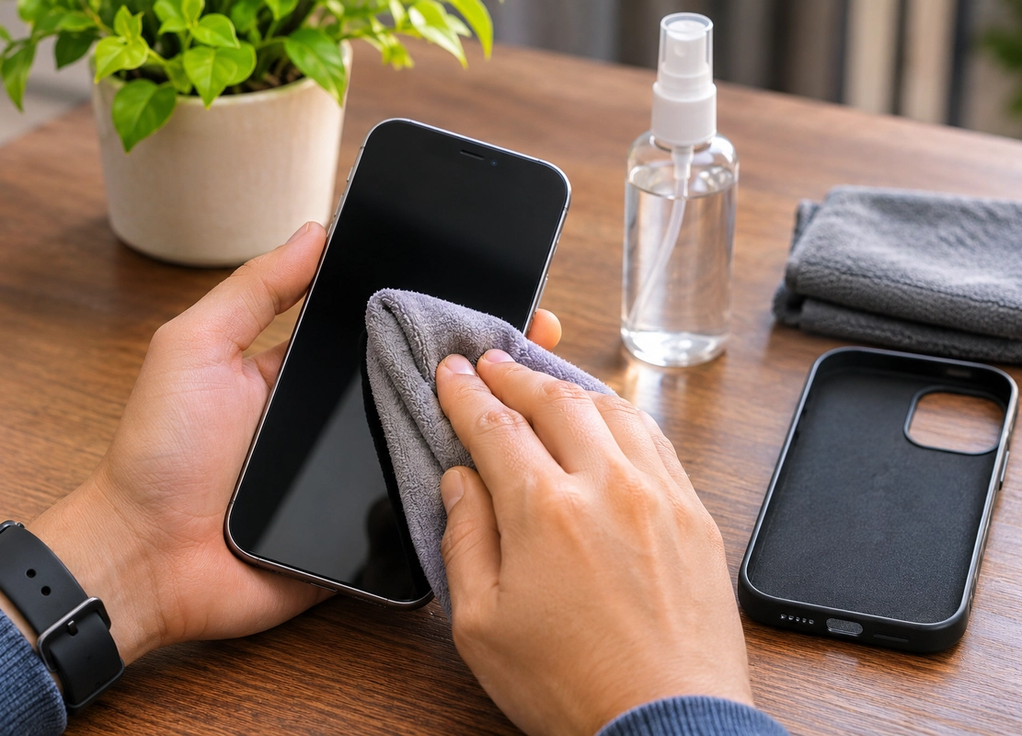
For everyday fingerprints, dust, and smudges, you usually don’t need anything more complicated than a clean, soft microfiber cloth. Unplug your phone, remove the case if necessary, and wipe the screen gently using the cloth rather than aggressively scrubbing it. Avoid paper towels, tissues, rough fabrics, and anything abrasive, since these can potentially scratch the surface or damage its protective coating over time. If a dry cloth isn’t enough, check your phone manufacturer’s cleaning guidance before using any liquid. Different devices and screen coatings can have different recommendations, so the cleaning method that’s fine for one device isn’t automatically ideal for another.
Don’t Spray Cleaner Directly Onto the Phone
If you’re using an approved cleaning solution or a slightly damp cloth, apply moisture to the cloth rather than spraying anything directly onto the device. Liquid can potentially enter charging ports, speakers, buttons, or other openings, and water resistance doesn’t mean a phone is completely waterproof in every situation. You also don’t need to soak the screen to clean it. A lightly dampened cloth followed by a dry section of microfiber is usually enough for stubborn marks. Avoid household window cleaners, bleach, abrasive cleaners, and other harsh chemicals unless the device manufacturer specifically says they’re safe for that particular surface.
Clean the Case Too
There’s little point in carefully cleaning your screen and immediately putting it back into a dirty case. Remove the case periodically and clean it according to its material. Silicone and many plastic cases can often be wiped down easily, while leather, fabric, and specialty materials may require different care. Pay attention to the edges and corners where dust and debris tend to collect. You can also gently clean around your phone’s exterior openings with a soft, dry cloth, but avoid pushing objects, liquids, or cleaning products into ports and speaker openings. If a charging port needs deeper cleaning, follow the manufacturer’s instructions rather than attacking it with whatever happens to be nearby.
Keep It Cleaner With Small Habits
A perfectly clean phone screen won’t stay that way for long because you touch it constantly. The easiest solution is regular maintenance rather than waiting until the screen looks terrible. Give it a quick microfiber wipe every day or two, wash your hands after eating or applying lotions, and avoid placing your phone face-down on questionable surfaces. It’s also worth remembering that your phone goes everywhere with you, so periodically cleaning the device and its case is simply a sensible habit. You don’t need special gadgets, UV boxes, or an elaborate cleaning ritual—just a clean cloth, the right method for your particular device, and about a minute of attention before the fingerprints take over again.